To improve user experience, focus on implementing thoughtful micro-interactions that provide immediate feedback during actions like tapping, swiping, or loading. Use visual cues, gestures, and haptic feedback to confirm recognition and keep users engaged. Well-designed micro-interactions make your interface feel smooth, responsive, and trustworthy, turning simple tasks into satisfying moments. By paying attention to these tiny details, you can create a seamless digital environment that users enjoy—learn more about creating effective micro-interactions below.
Key Takeaways
- Incorporate gesture feedback to confirm user actions, enhancing responsiveness and reducing hesitation.
- Use loading animations to manage expectations and make wait times feel shorter and more engaging.
- Design visual cues like color changes and ripple effects to provide immediate, intuitive feedback during interactions.
- Combine haptic cues with visual feedback for multisensory reinforcement of user gestures.
- Pay attention to micro-interactions to create a polished, seamless experience that builds trust and satisfaction.
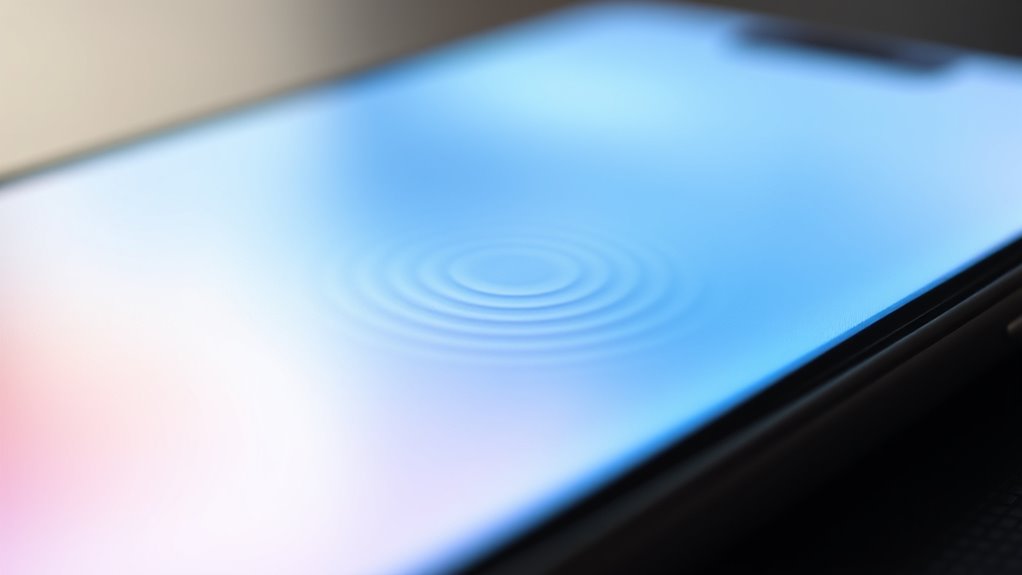
Micro-interactions are small, focused moments that can markedly enhance your overall user experience. These tiny details often go unnoticed but play a significant role in making digital interactions feel smooth, intuitive, and engaging. When you tap a button, swipe a screen, or complete a task, micro-interactions provide immediate, often subtle feedback that reassures you you’re on the right track. Two key elements in designing effective micro-interactions are gesture feedback and loading animations. Together, they create a seamless flow that keeps users engaged and reduces frustration.
Gesture feedback is essential because it confirms that your actions are recognized and understood by the system. For example, when you swipe to delete an email or pinch to zoom, visual or haptic cues let you know your gesture registered correctly. This feedback can be as simple as a slight vibration or a visual change, like a button changing color or a ripple effect spreading across the screen. Proper gesture feedback prevents confusion and helps users feel confident in their interactions. If a gesture isn’t acknowledged, users may hesitate or repeat actions unnecessarily, leading to frustration. Incorporating clear, immediate feedback ensures your interface feels responsive and trustworthy.
Loading animations are another indispensable micro-interaction that improves user experience by managing expectations during wait times. Instead of a blank or static screen, loading animations serve as visual cues that the system is working on your request. Think of spinning circles, bouncing dots, or progress bars—they all communicate that progress is being made, reducing anxiety about delays. Well-designed loading animations also add personality to your interface, making the wait feel shorter and more tolerable. They can be playful, sleek, or minimalistic, depending on your brand’s tone, but their primary purpose remains the same: to keep users engaged and informed during loading periods.
Both gesture feedback and loading animations exemplify how micro-interactions subtly influence your perception of usability. When these small details are thoughtfully implemented, they transform a basic user interface into a polished, user-friendly experience. You notice these micro-interactions most when they’re missing or poorly executed; the absence of gesture feedback can make interactions feel clunky, while dull or static loading screens can make wait times seem longer. By paying attention to these micro-moments, you make sure that every interaction feels intentional, satisfying, and seamless. Additionally, incorporating authentic natural materials like wood, stone, and linen in digital design can evoke a warm, welcoming atmosphere that enhances user comfort. Ultimately, micro-interactions like gesture feedback and loading animations aren’t just decorative—they’re essential tools that enhance usability, build trust, and create a more enjoyable digital environment for you.
Frequently Asked Questions
How Do Micro-Interactions Influence User Emotion and Engagement?
Micro-interactions profoundly influence your emotion and engagement by creating emotional resonance and making interactions more enjoyable. When you notice subtle animations, sounds, or feedback, it triggers positive feelings and keeps you engaged longer. These tiny design details encourage you to interact more naturally and confidently, ultimately providing an engagement boost. By thoughtfully incorporating micro-interactions, you make the experience memorable, fostering a deeper emotional connection with the product or service.
What Are Common Mistakes to Avoid When Designing Micro-Interactions?
You might think more is better, but overcomplicating your micro-interactions only confuses users. Keep designs simple and intuitive. Neglecting user feedback is like ignoring a map—you’ll get lost fast. Avoid flashy animations that distract or slow down the experience. Instead, focus on clear, purposeful micro-interactions that delight and guide users effortlessly. Remember, the best micro-interactions are those that feel seamless and natural, not overdone.
How Can Micro-Interactions Be Personalized for Individual Users?
To personalize micro-interactions, you should incorporate personalization strategies that adapt based on user behavior. Use data to create adaptive micro-interactions that respond to individual preferences, like tailored animations or notifications. You can also implement dynamic content that adjusts in real-time, making the experience feel more relevant. By continuously analyzing user interactions, you’ll refine these micro-interactions, ensuring they resonate personally, enhance engagement, and improve overall user satisfaction.
What Tools or Software Are Best for Creating Micro-Interactions?
Imagine you’re wielding a magic wand—your best tools are animation tools like Adobe After Effects or Principle, perfect for detailed micro-interactions. Prototyping software such as Figma or Adobe XD also excels, allowing you to create interactive, realistic micro-interactions quickly. These tools help you craft engaging animations and seamless handoffs. Choose based on your project’s complexity and your familiarity; both make micro-interaction design smooth and intuitive.
How Do Micro-Interactions Impact Accessibility for All Users?
Micro-interactions enhance accessibility by supporting visual accessibility and promoting inclusive design. When you incorporate clear feedback, animations, and easy-to-understand cues, you make interfaces more usable for everyone, including those with visual impairments or cognitive differences. You guarantee that micro-interactions are intuitive, accessible, and inclusive, helping all users navigate smoothly and feel confident, regardless of their abilities. This fosters a more equitable and engaging user experience for everyone.
Conclusion
By embracing micro-interactions, you subtly guide users, making their journey smoother and more enjoyable. These tiny touches may seem minor, but they gently enhance engagement and satisfaction without overwhelming. When you craft thoughtful micro-interactions, you create a seamless experience that feels almost effortless. Ultimately, it’s these small details that can transform your design from good to truly memorable, leaving users happily enchanted and enthusiastic to return.