To craft immersive virtual reality environments, focus on integrating multisensory elements like precise haptic feedback and realistic spatial audio. Use hardware that responds well to tactile cues and accurately simulates three-dimensional sounds to match visual cues. Synchronize these sensory inputs seamlessly to create a believable and engaging experience, making users feel present and connected in the virtual space. If you keep exploring, you’ll discover how to bring your VR environments to life with deeper immersion.
Key Takeaways
- Integrate high-quality haptic feedback to simulate textures, impacts, and tactile sensations aligned with visual elements.
- Utilize advanced spatial audio systems to create a realistic three-dimensional soundscape that matches visual cues.
- Synchronize tactile and auditory stimuli precisely to reinforce immersion and enhance the believability of interactions.
- Design multisensory interactions that respond naturally to user movements, increasing engagement and presence.
- Ensure hardware and software work together seamlessly to deliver nuanced sensory experiences that transform visuals into embodied worlds.
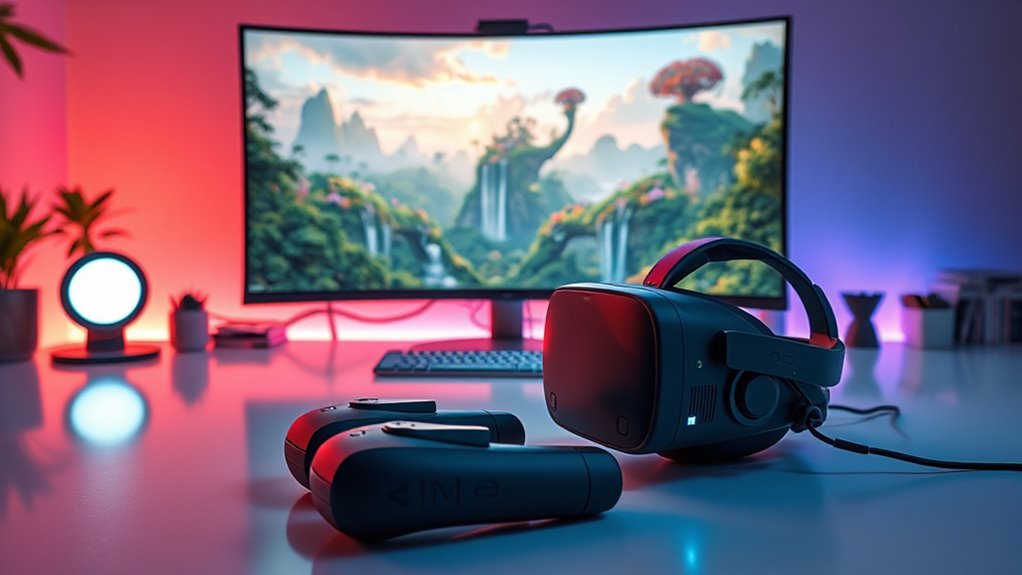
Immersive virtual reality environments are transforming how we experience digital spaces by creating highly realistic and engaging experiences. As you step into a VR world, every detail is designed to draw you in, making you feel like you’re truly part of the scene. To achieve this level of immersion, you need more than just stunning visuals; sensory inputs like haptic feedback and spatial audio play critical roles. Haptic feedback, in particular, allows you to feel textures, impacts, and vibrations, bridging the gap between sight and touch. When you reach out and touch a virtual object, the subtle buzz or pressure you feel helps reinforce the illusion that the object exists in real space. This tactile dimension heightens your sense of presence, making interactions feel authentic rather than simulated.
Haptic feedback enhances VR immersion by letting you feel textures and impacts, making virtual interactions genuinely tactile and authentic.
Spatial audio complements haptic feedback by immersing you in a three-dimensional soundscape. Instead of flat, stereo sounds, spatial audio positions sounds relative to your orientation and location within the environment. If a virtual bird chirps from your left, you’ll instinctively turn your head to look, just as you would in the real world. This precise sound placement enhances realism and guides your attention naturally, whether you’re exploring a virtual city or navigating a fantastical landscape. Together, haptic feedback and spatial audio create a multisensory experience that deepens your engagement. They help you perceive depth, distance, and texture, making virtual interactions feel tangible and immediate.
Designing such environments requires meticulous attention to these sensory details. You need hardware capable of delivering nuanced haptic responses and advanced audio systems that accurately simulate the spatial qualities of sound. When planning your virtual space, consider how each interaction can be complemented by tactile cues—like feeling the recoil of a virtual gun or the softness of a fabric—and how sounds can be positioned to match visual cues. This synergy between haptic feedback and spatial audio ensures that your environment isn’t just visually convincing but fully immersive.
As you craft your virtual environment, remember that these sensory elements should work in harmony. Proper synchronization between tactile stimuli and audio cues will reinforce realism, making users forget they’re in a digital space. Ultimately, incorporating rich haptic and spatial audio experiences transforms simple visuals into fully embodied worlds, where every interaction feels natural and believable. This approach is key to elevating virtual reality from a visual spectacle to an all-encompassing, immersive experience. Additionally, understanding the importance of sensory inputs like haptic feedback and spatial audio can help designers create more compelling and believable virtual environments.
Top picks for "craft immersive virtual"
Open Amazon search results for this keyword.
As an affiliate, we earn on qualifying purchases.
Frequently Asked Questions
How Do VR Environments Adapt to User Preferences?
You can make VR environments adapt to your preferences using personalization techniques that analyze your interactions and adjust content accordingly. Adaptive rendering enhances your experience by optimizing visuals based on your focus and hardware capabilities. This dynamic process guarantees smoother visuals and tailored experiences, keeping you engaged and comfortable. By leveraging these methods, VR environments become more intuitive, providing you with a seamless and immersive journey that aligns with your individual interests and needs.
What Are the Latest Hardware Advancements in VR Technology?
Did you know that VR headset adoption has grown by over 50% in recent years? The latest hardware advancements include improved haptic feedback, making sensations feel more real, and eye tracking, which enhances interaction and immersion. These innovations allow you to experience more natural movements and quicker responses, transforming your virtual experiences into something truly lifelike. Expect sharper visuals, better comfort, and more intuitive controls as hardware keeps evolving rapidly.
How Can Developers Improve VR Environment Realism?
You can improve VR environment realism by integrating advanced haptic feedback, which makes interactions feel more genuine. Enhance environmental lighting to create natural shadows and depth, boosting immersion. Use high-resolution textures and dynamic lighting effects to mimic real-world conditions. Incorporate spatial audio to add another layer of realism. These improvements make users feel truly present, heightening engagement and making virtual experiences more convincing and memorable.
What Are Common Challenges in Creating Seamless VR Worlds?
Ever feel like breaking the illusion ruins the experience? Seamless VR worlds face challenges like latency, which disrupts immersion. You need to perfect spatial audio and haptic feedback, ensuring sounds and touches align perfectly with visuals. Managing hardware limitations and creating natural interactions also test your skills. Overcome these hurdles with attention to detail, and your virtual environment will feel truly real, mesmerizing users from start to finish.
How Does User Feedback Influence VR Environment Design?
Your user feedback helps you refine the VR environment by highlighting issues with gesture recognition or haptic feedback. When users express difficulty with gestures or feel that haptic feedback isn’t realistic, you can modify the design to improve immersion. Incorporating their suggestions ensures smoother interactions, making the virtual world feel more seamless and engaging. Listening to feedback ultimately helps you create a more intuitive and immersive VR experience.
Conclusion
As you explore immersive virtual reality environments, remember they’re transforming how we learn, work, and connect. Did you know that over 70% of users report increased engagement and retention in VR experiences? This statistic highlights just how powerful and mesmerizing these worlds can be. By embracing this technology, you’re stepping into a future where boundaries blur and possibilities expand—making every virtual moment more real, meaningful, and unforgettable.