
To improve your home video calls and recordings, focus on good lighting by facing a window or using soft, adjustable lights. Keep your background tidy or use virtual backgrounds to stay professional. Position your camera at eye level for natural engagement and make sure it’s stable. Dress solid colors to avoid distractions, and choose a quiet environment free from interruptions. Pay attention to sound quality, and test your setup beforehand to get the best results—there’s more to discover for a polished look.

Get the little things that make your day delivered free with Prime
- Fast, free delivery on millions of items
- Prime Video, Amazon Music and more included
- Member-only deals all year
Key Takeaways
- Use natural light facing you or soft lighting setups to ensure your face is well-lit and shadows are minimized.
- Choose a clean, uncluttered background or use virtual backgrounds to maintain professionalism.
- Position your camera at eye level and keep it stable for natural engagement and clear framing.
- Dress in solid, neutral colors and ensure your environment is quiet and organized.
- Test your setup with short recordings to check lighting, sound, and visual quality before important calls.
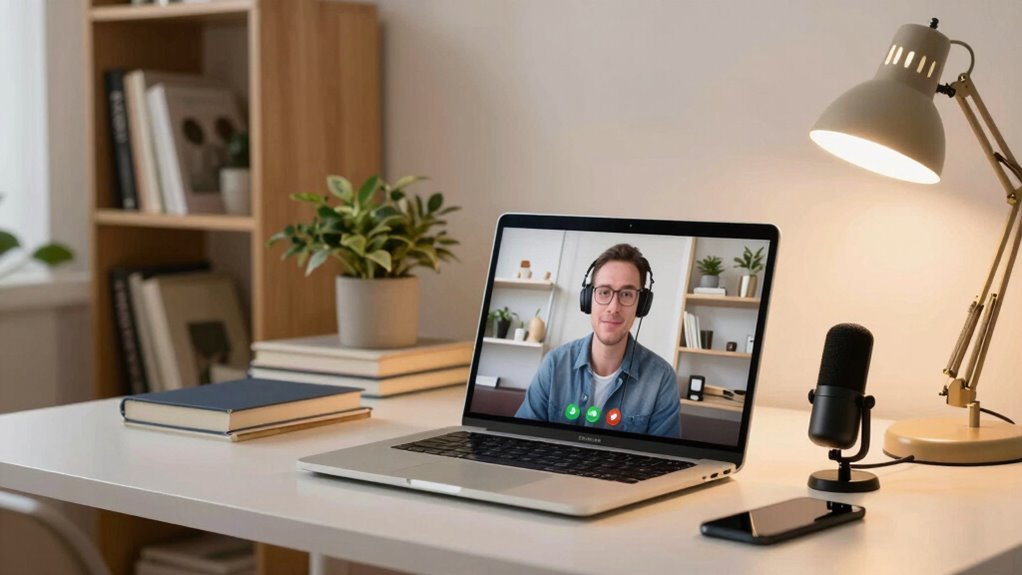
In today’s remote world, making clear and professional video calls and recordings from home is more important than ever. Your setup can considerably impact how others perceive you, so paying attention to lighting techniques and background setup is vital. Good lighting ensures your face is well-lit and visible, avoiding shadows and dimness that can distract or make you look unprofessional. Natural light is your best friend—position yourself facing a window during the day, but avoid direct sunlight that can cause harsh shadows. If natural light isn’t enough or it’s too harsh, consider investing in softbox lights or ring lights, which provide even, flattering illumination. Place your light source slightly above eye level and angle it toward your face to create a natural, inviting look. Adjusting the brightness to match your environment ensures your face remains clear without overexposure.
Your background setup also plays an important role in your video quality. Aim for a clean, uncluttered space that reflects professionalism and minimizes distractions. A simple, tidy background keeps the focus on you and conveys a sense of organization. If your space is busy or messy, consider using virtual backgrounds or a backdrop stand with a neutral-colored cloth. Position yourself a few feet away from the background to avoid shadows and create a sense of depth. Good framing is essential—your eyes should be about one-third from the top of the frame, and your face should be centered. Make sure your camera is stable; use a tripod or prop your device on a sturdy surface to avoid shaky footage. Additionally, consider lighting consistency to ensure your appearance remains steady throughout your recording or call. Being aware of camera positioning helps you maintain a natural and engaging presence on screen. Also, paying attention to audio quality is crucial, as clear sound significantly enhances overall video professionalism.
Beyond lighting and background, pay attention to camera positioning and your own appearance. Keep the camera at eye level to promote direct eye contact and engagement. Make sure you’re well-lit from the front, not behind or from the side, which can cause silhouettes or poor visibility. Dress appropriately for your setting—solid colors work better than busy patterns, which can distract viewers. Test your setup before an important call or recording, recording short clips to check how everything looks and sounds. Adjust your lighting, background, or camera angle as needed, and always keep your environment quiet and free of interruptions.
As an affiliate, we earn on qualifying purchases.
Frequently Asked Questions
How Can I Reduce Background Noise During Calls?
To reduce background noise during calls, start with background noise reduction techniques like using noise-canceling headphones or a microphone with built-in noise suppression. Pay attention to microphone placement; keep it close to your mouth and away from noisy appliances or windows. You can also choose a quiet space, use soft furnishings to absorb sound, and consider software noise filters. These steps improve audio clarity and make your calls much more professional.
What Are the Best Lighting Setups for Video Recordings?
Think of lighting as the sun illuminating your stage. Use soft, diffused lighting equipment to create a warm, inviting glow, avoiding harsh shadows. Incorporate natural illumination by positioning yourself near windows during the day for a natural, flattering effect. Balance your setup with key lights and fill lights, ensuring your face is well-lit and vibrant, which enhances clarity and professionalism in your recordings.
How Do I Improve Audio Quality Without Expensive Equipment?
To improve audio quality without pricey gear, focus on audio enhancement techniques like reducing background noise and using natural echo control. Proper microphone placement is key—place your microphone close to your mouth, slightly off-center, and avoid obstacles that cause sound distortion. You can also try DIY soundproofing with soft materials around your space. These steps help guarantee clearer, more professional-sounding recordings and calls.
What Camera Settings Should I Use for Clear Recordings?
Think of your camera as a window into your world; set it with care. Use eye-level positioning for natural connection, and apply framing techniques like the rule of thirds to create balance. Adjust focus to keep you sharp, and guarantee proper exposure so your image isn’t washed out or too dark. Keep lighting consistent, and test different settings to find what makes your recordings clear, professional, and engaging.
How Can I Prevent Lag and Connection Issues?
To prevent lag and connection issues, guarantee your internet is stable by using a wired connection if possible, and close unnecessary apps that might consume bandwidth. Follow proper video call etiquette by checking your setup beforehand to avoid disruptions. Use virtual meeting tips like muting yourself when not speaking and positioning your camera correctly. These steps help create a smoother experience, minimizing lag and ensuring clear communication during your video calls.
As an affiliate, we earn on qualifying purchases.
Conclusion
Improving your video calls and recordings at home is all about preparation and setup. For example, imagine you’re hosting a remote job interview. By ensuring good lighting, a clean background, and clear audio, you come across as professional and confident. These small adjustments can make a big difference in how you’re perceived and how smooth your communication flows. With a little effort, you’ll create a more polished, engaging experience that leaves lasting positive impressions.
As an affiliate, we earn on qualifying purchases.
virtual background for video conferencing
As an affiliate, we earn on qualifying purchases.
As an affiliate, we earn on qualifying purchases.
Halloween Picks
halloween
As an affiliate, we earn on qualifying purchases.