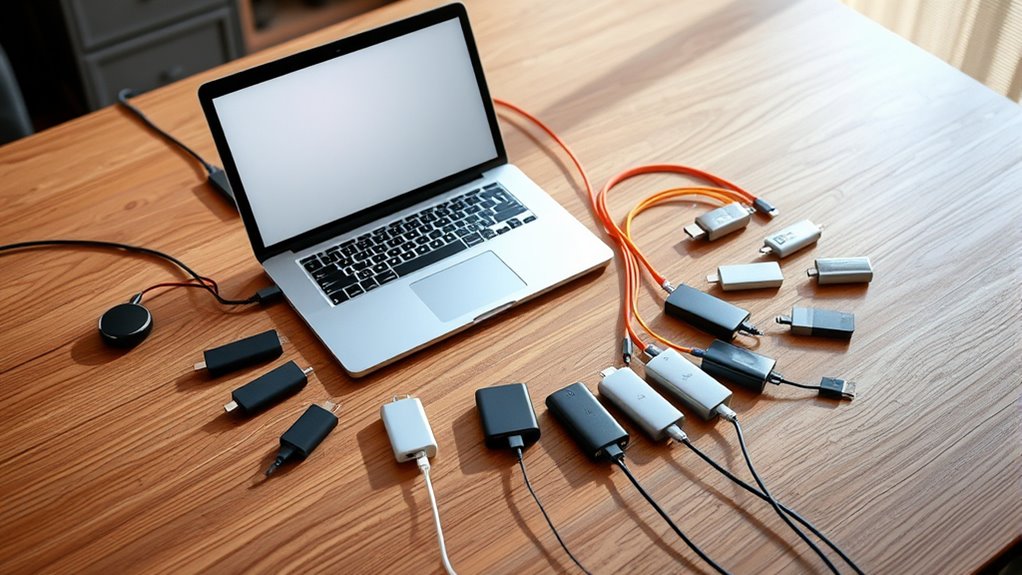
Finding the right USB-C hub for your MacBook Pro can be challenging, as options vary in ports, power delivery, and build quality. The best hubs offer reliable performance and expand your workflow, but tradeoffs often include size, price, or port selection. The Belkin 100W 10Gbps Multiport USB-C Hub stands out for its balanced performance, while the Anker USB C Hub, 5-in-1 offers affordability and simplicity. Keep in mind that more ports typically mean bulkier devices or higher prices, and some hubs sacrifice power delivery or port speed to keep costs down. Continue reading for a detailed breakdown of the top picks and what makes each one unique.

Get the little things that make your day delivered free with Prime
- Fast, free delivery on millions of items
- Prime Video, Amazon Music and more included
- Member-only deals all year
Key Takeaways
- Top-performing hubs balance port variety with reliable power delivery and data transfer speeds.
- The most versatile options often include both HDMI, SD card readers, and multiple USB ports in a compact design.
- Higher-priced hubs tend to offer better build quality and more stable connections, especially for professional workflows.
- Choosing a hub with Thunderbolt or 100W Power Delivery can future-proof your setup and support charging alongside data transfer.
- Compact models are ideal for portability but may lack some ports or features found in bulkier options.
| Belkin 100W 10Gbps Multiport USB-C Hub Adapter for Laptop, iPad, PC, & More |  | Best Overall USB-C Hub for High-Speed Data and Power | Number of Ports: 4 USB-C 3.2 Gen 2 | Data Transfer Speed: Up to 10Gbps | Power Delivery: Up to 100W | VIEW ON AMAZON | See Our Full Breakdown |
| Anker USB C Hub, 5-in-1 USB-C to HDMI Splitter with 4K Display |  | Best Value for Multi-Device Connectivity | Number of ports: 5 | HDMI resolution: 4K@30Hz | USB-C data transfer speed: 5 Gbps | VIEW ON AMAZON | See Our Full Breakdown |
| Hiearcool 7-in-1 USB C Hub, Space Gray |  | Best Compact Travel Hub with Versatile Ports | Hardware Interface: HDMI, MicroSD, USB 3.0, USB Type C | Additional Features: 4K HDMI, Fast Data Transfer, Power Delivery 100W | Total USB Ports: 2 | VIEW ON AMAZON | See Our Full Breakdown |
| Anker USB C Hub, 7-in-1 Multi-Port USB-C Adapter with 4K HDMI, SD Card, and Data Ports |  | Best for Versatile Media and Data Expansion | HDMI Output: 4K@60Hz | USB Ports: 2x USB 3.0, 3x USB 2.0, 1x USB-C | Power Delivery: Up to 85W | VIEW ON AMAZON | See Our Full Breakdown |
| USB C Hub Multiport Adapter for MacBook Pro/Air, 10-in-1 USB C Dongle with HDMI, SD/TF Card Reader, 100W PD, 6 USB Ports |  | Best for Maximum Connectivity and Power | HDMI Output: 4K@60Hz | USB Ports: 6 (including USB-A and USB-C) | Power Delivery: 100W | VIEW ON AMAZON | See Our Full Breakdown |
| USB C Hub Adapter for MacBook Pro/Air M1-M5 2018-2026, 8-in-2 Multiport Dongle with HDMI 4K@60Hz, Thunderbolt, USB-C, USB 3.0, SD Card Reader |  | Best Overall for Versatile Connectivity and Future-Proofing | Compatibility: MacBook Pro/Air 2018-2026 | HDMI Output: 4K@60Hz | Thunderbolt Port: Supports 5K@60Hz, 40Gbps | VIEW ON AMAZON | See Our Full Breakdown |
| MOKiN USB C Hub HDMI Adapter, 7-in-1 Dongle with SD/TF Card Reader, 100W PD, and 2 USB 3.0 Ports |  | Best for Compact Portability and Versatile Expansion | Hardware Interface: USB Type C | Additional Features: Lightweight | Compatible Devices: MacBook, Dell XPS, Lenovo ThinkPad | VIEW ON AMAZON | See Our Full Breakdown |
| Anker USB-C Hub for MacBook, 7-in-2 Mac Dock with 4K@60Hz HDMI |  | Best Compact Dock with Reliable Video and Data Support | Number of ports: 7 | HDMI resolution: 4K@60Hz | Data transfer speed: 40Gbps | VIEW ON AMAZON | See Our Full Breakdown |
| USB C Hub Adapter for MacBook Pro/Air Docking Station 8-in-2 | 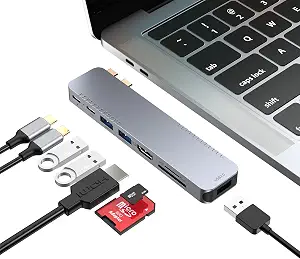 | Best for Dual Monitor and High-Speed Data with Power Delivery | Hardware Interface: HDMI, Thunderbolt, USB 3.0 | Additional Features: Fast Charging | Total USB Ports: 8 | VIEW ON AMAZON | See Our Full Breakdown |
| UGREEN USB C Hub 5-in-1 Multiport USB Adapter with 4K HDMI and 100W Power Delivery |  | Best Budget-Friendly Multi-Functional Hub | Hardware Interface: HDMI, USB 2.0, USB 3.0 | Additional Features: Plug and Play | Total USB Ports: 5 | VIEW ON AMAZON | See Our Full Breakdown |
| USB C Hub for MacBook Pro/Air M1 M2, 7-in-2 Thunderbolt 3/4 Compatible Adapter with 4K HDMI, 100W PD, 2 USB 3.0 and SD/TF Card Reader |  | Best Overall Balance of Connectivity and Power | Compatibility: MacBook Pro/Air (2016-2022) | Ports: Thunderbolt 3, USB-C data, HDMI, 2 USB 3.0, SD/TF card reader | Video Output: 4K@30Hz via HDMI, 5K@60Hz via Thunderbolt 3 | VIEW ON AMAZON | See Our Full Breakdown |
| usbc hubs for macbook pro | Power Delivery |
|---|---|
| Belkin 100W 10Gbps Multiport U | Up to 100W |
| Anker USB C Hub | — |
| Hiearcool 7-in-1 USB C Hub | — |
| Anker USB C Hub | Up to 85W |
| USB C Hub Multiport Adapter fo | 100W |
| USB C Hub Adapter for MacBook | Supports 100W input, 85W output |
| MOKiN USB C Hub HDMI Adapter | 87W |
| Anker USB-C Hub for MacBook | — |
| USB C Hub Adapter for MacBook | — |
| UGREEN USB C Hub 5-in-1 Multip | — |
| USB C Hub for MacBook Pro/Air | Up to 100W |
More Details on Our Top Picks
Belkin 100W 10Gbps Multiport USB-C Hub Adapter for Laptop, iPad, PC, & More
This Belkin hub earns its spot as the best overall choice thanks to its exceptional data transfer speeds up to 10Gbps, making it ideal for demanding tasks like large file transfers or professional media work. Its power delivery up to 100W ensures your MacBook remains charged during intensive use, matching the needs of power users. Unlike the Anker 5-in-1, which offers fewer ports, this hub provides a streamlined, compact design with universal compatibility, supporting MacBook, iPad, and PC alike. The main tradeoff is its exclusive focus on USB-C ports—no USB-A ports are included, which could be limiting for users relying on older peripherals. It also requires a USB-C power source to operate at full capacity, which might be less convenient for some. Overall, this hub suits professionals needing fast data, charging, and a portable form factor.
Pros:- High-speed data transfer up to 10Gbps
- Supports pass-through charging up to 100W
- Universal compatibility with multiple devices
- Slim, portable design
Cons:- Limited to USB-C devices only
- No additional USB-A ports
- Requires USB-C power source for full functionality
Best for: Power users who need high-speed data transfer and reliable charging in a lightweight package.
Not ideal for: Users who require multiple USB-A ports or Ethernet connectivity for extensive peripheral setups.
- Number of Ports:4 USB-C 3.2 Gen 2
- Data Transfer Speed:Up to 10Gbps
- Power Delivery:Up to 100W
- Compatibility:MacBook, iPad, PC
- Audio Support:Yes
Our verdict“Best suited for professionals seeking maximum data speed and power delivery in a compact hub.”
Anker USB C Hub, 5-in-1 USB-C to HDMI Splitter with 4K Display
This Anker hub offers a solid balance of features at a budget-friendly price, making it a good choice for casual users or those looking to add basic connectivity. Its 4K HDMI output supports up to 30Hz, suitable for presentations and media playback, though it falls short of the 60Hz support found in higher-end options like the USB C Hub Multiport Adapter. Compared to the Belkin hub, it provides fewer ports (only 5), but includes HDMI, USB-C, and USB-A ports, giving a broader range of connectivity. However, the USB-C port does not support video output, which limits its versatility. The charging port only supplies power and doesn’t handle data, so it’s less ideal for users wanting to connect multiple peripherals simultaneously. This pick is ideal for light use and budget-conscious buyers.
Pros:- Supports 4K HDMI output
- Multiple connection options including USB-A and USB-C
- Pass-through charging up to 85W
- Affordable price point
Cons:- USB-C port does not support video output
- Charging port only supplies power, no data transfer
- Limited to 85W charging
Best for: Budget-conscious users who need a simple, reliable hub for presentations and light media work.
Not ideal for: Power users or those needing multiple high-speed data connections or Ethernet support.
- Number of ports:5
- HDMI resolution:4K@30Hz
- USB-C data transfer speed:5 Gbps
- Pass-through charging:Up to 85W
- Compatibility:MacBook, Windows, ChromeOS
Our verdict“A practical, budget-friendly hub for light media and connectivity needs without extensive peripherals.”
Hiearcool 7-in-1 USB C Hub, Space Gray
The Hiearcool 7-in-1 hub distinguishes itself by combining a compact, lightweight design with a comprehensive set of ports, including HDMI, SD/TF card slots, and USB 3.0. It’s a particularly appealing choice for travelers or remote workers who need multiple media and data options in a small footprint. Its 4K HDMI output supports streaming or presentations, and the Power Delivery up to 100W allows you to keep your MacBook charged during use. Compared with the Anker 5-in-1, this model offers more ports—yet, it’s limited to just 2 USB ports, which may be insufficient for users with many peripherals. Its aluminum enclosure adds durability but makes it slightly bulkier than ultra-slim options. It’s best for those who prioritize portability and versatility over sheer number of ports.
Pros:- Supports 4K HDMI output
- High-speed data transfer with USB 3.0
- Includes SD/TF card slots
- Power delivery up to 100W
Cons:- Limited to 2 USB ports
- No Ethernet port included
- May be too bulky for ultra-light travel
Best for: Travelers or remote workers needing a compact hub with multiple media options and reliable power delivery.
Not ideal for: Power users with extensive peripherals requiring many USB ports or wired Ethernet connections.
- Hardware Interface:HDMI, MicroSD, USB 3.0, USB Type C
- Additional Features:4K HDMI, Fast Data Transfer, Power Delivery 100W
- Total USB Ports:2
- Dimensions:4.17″L x 1.4″W x 0.34″H
- Weight:1.8 ounces
Our verdict“Ideal for users seeking a travel-friendly hub with a broad range of media and charging capabilities.”
Anker USB C Hub, 7-in-1 Multi-Port USB-C Adapter with 4K HDMI, SD Card, and Data Ports
This Anker hub offers a broad array of ports in a slightly larger form factor, making it suitable for users who need many connections at once. Its 4K HDMI output at 60Hz supports smooth media playback and presentations. The high-speed data transfer at over 5Gbps covers most typical file transfers, and the multiple USB ports include USB-A and USB-C, accommodating various peripherals. Compared to the Belkin model, the Anker provides more ports but lacks the same high-end power delivery; it supports only up to 85W, which might not be enough for some power-hungry laptops. The design might feel bulky for ultra-portable use, but its versatility makes it attractive for desktop setups or travelers needing lots of connectivity options.
Pros:- Supports 4K HDMI at 60Hz
- Multiple USB-A and USB-C ports
- High-speed data transfer over 5 Gbps
- Supports SD card reading
Cons:- Limited to 85W charging
- Bulkier than ultra-light hubs
- No Ethernet port
Best for: Users needing a versatile, multi-port hub for media, data, and charging in a semi-permanent workspace or travel scenario.
Not ideal for: Power users requiring 100W charging or users who prefer a more compact setup for frequent travel.
- HDMI Output:4K@60Hz
- USB Ports:2x USB 3.0, 3x USB 2.0, 1x USB-C
- Power Delivery:Up to 85W
- Card Reader:Micro SD/TF
- Dimensions:8.27″L x 2.13″W x 0.59″H
Our verdict“Best for users seeking a multi-port, media-capable hub with ample USB options for semi-permanent use or travel.”
USB C Hub Multiport Adapter for MacBook Pro/Air, 10-in-1 USB C Dongle with HDMI, SD/TF Card Reader, 100W PD, 6 USB Ports
This 10-in-1 USB C hub stands out for its extensive port selection, making it the best choice for users who need to connect multiple devices simultaneously. Its 4K HDMI at 60Hz ensures high-quality video output, and the 6 USB ports provide ample options for peripherals. The 100W power delivery supports full charging of MacBook Pro and other power-hungry devices, matching the needs of advanced workflows. Compared with the 7-in-1 Anker hub, this model offers more ports but at a larger size, which could be less convenient for portability. Its broad compatibility includes MacBook, iPad Pro, and even some Android devices, making it a versatile desktop extension. The tradeoff is its bulk, which may be less suitable for frequent travelers who prioritize a slim profile.
Pros:- Supports 4K HDMI at 60Hz
- Includes 6 USB ports for extensive peripherals
- Supports 100W Power Delivery
- Versatile device compatibility
Cons:- Bulkier and heavier than smaller hubs
- More expensive due to its extensive features
- Requires a USB-C port with video support
Best for: Power users and professionals requiring extensive device connections and reliable charging in a desktop or travel setting.
Not ideal for: Minimalists or frequent travelers who prefer a smaller, lighter setup with fewer ports.
- HDMI Output:4K@60Hz
- USB Ports:6 (including USB-A and USB-C)
- Power Delivery:100W
- Additional Features:SD/TF card reader
- Dimensions:varies, larger footprint
Our verdict“Ideal for power users needing maximum port variety and high-performance charging in a single hub.”
USB C Hub Adapter for MacBook Pro/Air M1-M5 2018-2026, 8-in-2 Multiport Dongle with HDMI 4K@60Hz, Thunderbolt, USB-C, USB 3.0, SD Card Reader
This hub stands out for its comprehensive port selection, supporting 4K@60Hz HDMI output and Thunderbolt 5K@60Hz, which surpasses many competitors like the Anker USB-C Hub for MacBook, offering a true all-in-one solution. Its support for 40Gbps Thunderbolt data transfer and 100W Power Delivery makes it ideal for power users needing high performance. The tradeoff is its limited compatibility with MacBook cases at the bottom, and M1 MacBooks can only run a single external monitor, which might restrict multi-display setups. Compared to more compact options, this hub offers more ports and future-proof features but at the expense of size and some compatibility issues.
Pros:- Supports 4K@60Hz HDMI and 5K Thunderbolt display output
- High-speed data transfer up to 40Gbps via Thunderbolt
- Includes multiple ports including SD card reader and USB 3.0
Cons:- Incompatibility with MacBook cases at the bottom
- Supports only one external monitor on M1 Macs
- High power devices may experience unstable connections
Best for: Power users who need a comprehensive, future-proof hub with high-resolution video and fast data transfer
Not ideal for: Casual users with slim cases or those needing only basic connections, as it might be overkill and less portable
- Compatibility:MacBook Pro/Air 2018-2026
- HDMI Output:4K@60Hz
- Thunderbolt Port:Supports 5K@60Hz, 40Gbps
- USB Ports:2 USB 3.0, 1 USB-C, 1 USB 2.0
- SD Card Reader:Supports SD and Micro SD, up to 104MB/s
- Power Delivery:Supports 100W input, 85W output
Our verdict“This hub suits power users who want maximum connectivity and future-proofing at the cost of size and compatibility quirks.”
MOKiN USB C Hub HDMI Adapter, 7-in-1 Dongle with SD/TF Card Reader, 100W PD, and 2 USB 3.0 Ports
The MOKiN hub is a strong choice for those who prioritize portability without sacrificing essential ports, supporting 4K@60Hz HDMI output and multiple USB 3.0 ports. Its lightweight aluminum build makes it easy to carry, making it more suitable for travelers or those with limited desk space. Compared to the Anker USB-C Hub, it offers similar high-quality video output but with fewer total ports—just 2 USB 3.0 and SD/TF readers—limiting extensive device connections. Its 100W Power Delivery ensures quick charging but might be insufficient for high-power devices or extensive setups. It’s a balanced option for everyday use but not for users who need multiple external displays or extensive peripherals connected simultaneously.
Pros:- Supports 4K@60Hz HDMI output
- Lightweight and portable aluminum design
- Includes SD/TF card readers and USB 3.0 ports
Cons:- Limited to two USB 3.0 ports, restricting device connection
- Does not support Apple USB SuperDrive
- Charging limited to 87W, possibly insufficient for high-power laptops
Best for: Travelers and casual professionals seeking a compact, versatile hub for daily tasks
Not ideal for: Users with extensive peripheral needs or who require multiple external displays, as port options are limited
- Hardware Interface:USB Type C
- Additional Features:Lightweight
- Compatible Devices:MacBook, Dell XPS, Lenovo ThinkPad
- Total USB Ports:2
- Data Transfer Rate:5 Gbps
- Power Delivery:87W
Our verdict“This hub is ideal for mobile users wanting reliable expansion without bulk, but not for extensive multi-device setups.”
Anker USB-C Hub for MacBook, 7-in-2 Mac Dock with 4K@60Hz HDMI
The Anker USB-C Hub offers a straightforward, space-efficient solution for users who mainly need high-quality 4K video and basic expansion, supporting HDMI at 60Hz and multiple USB-A ports. Compared to the larger USB C Hub Adapter, it emphasizes a smaller footprint while still supporting fast data transfer at 40Gbps and 100W charging, making it a good all-around choice for everyday tasks. However, it doesn’t support dual external displays on M1 or M2 MacBooks, which limits multi-monitor setups. This pick makes sense for those who want a reliable, simple dock without extra bells and whistles but isn’t suitable for multi-monitor or highly peripheral-dependent workflows.
Pros:- Supports 4K@60Hz HDMI output
- Compact, lightweight design
- Supports high-speed data transfer up to 40Gbps
Cons:- Limited to a single external display on M1/M2 Macs
- Lacks support for dual monitor setups
- Not suitable for extensive peripheral arrays
Best for: Users prioritizing a compact, reliable hub for single external display and high-speed data transfer
Not ideal for: Professionals needing dual external monitors or extensive peripheral connections
- Number of ports:7
- HDMI resolution:4K@60Hz
- Data transfer speed:40Gbps
Our verdict“This hub works well for users needing a compact, reliable 4K display and data expansion, but not for multi-monitor or complex setups.”
USB C Hub Adapter for MacBook Pro/Air Docking Station 8-in-2
This docking station is designed for users who need dual monitor support and high-speed data transfer, supporting HDMI 4K@30Hz and Thunderbolt 4/3, which means it can handle more demanding multi-display setups than some competitors like the UGREEN 5-in-1. Its 85W charging supports most workflows, and with 8 ports including SD/TF card readers, it offers excellent connectivity. The main tradeoff is its HDMI output limited to 30Hz at 4K, which may not satisfy users seeking smoother video or gaming experiences. Compared to smaller hubs, this station emphasizes power and display capabilities but at a slightly larger size and potentially higher price point.
Pros:- Supports dual 4K@30Hz monitor setup
- High-speed transfer up to 40Gbps
- Supports 85W charging for MacBook
Cons:- Limited to 30Hz refresh rate at 4K
- Relatively larger and heavier design
- Not compatible with MacBook Neo
Best for: Creative professionals or multitaskers who need dual external monitors and fast data transfer
Not ideal for: Casual users or those with limited desk space, as it is bulkier and more expensive than simpler hubs
- Hardware Interface:HDMI, Thunderbolt, USB 3.0
- Additional Features:Fast Charging
- Total USB Ports:8
- Data Transfer Rate:40Gbps
- Color:Silvery
Our verdict“Ideal for professionals requiring dual 4K displays and fast data transfer, but less suited for casual or single-monitor users.”
UGREEN USB C Hub 5-in-1 Multiport USB Adapter with 4K HDMI and 100W Power Delivery
The UGREEN hub offers solid basic expansion with 4K HDMI at 30Hz and 100W Power Delivery, making it suitable for everyday tasks. Its 5-in-1 design simplifies connection needs for users who don’t require extensive ports, unlike larger hubs such as the USB C Hub Adapter for MacBook. While it provides broad compatibility and plug-and-play convenience, the 30Hz refresh rate at 4K might be limiting for video editing or gaming. It’s a practical, low-cost option that balances essential features but isn’t built for high-end multitasking or demanding displays.
Pros:- Supports 4K@30Hz HDMI output
- 100W Power Delivery for charging
- Compact and easy to carry
Cons:- Limited to 30Hz refresh rate at 4K
- Only 5 ports in total
- No support for dual external monitors
Best for: Budget-conscious users needing reliable 4K HDMI and power delivery for daily use
Not ideal for: Power users or creators needing higher refresh rates or multiple external displays
- Hardware Interface:HDMI, USB 2.0, USB 3.0
- Additional Features:Plug and Play
- Total USB Ports:5
- Data Transfer Rate:5 Gbps
- Color:Grey
Our verdict“This budget-friendly hub suits everyday users who want reliable expansion without high refresh rates or multiple displays.”
USB C Hub for MacBook Pro/Air M1 M2, 7-in-2 Thunderbolt 3/4 Compatible Adapter with 4K HDMI, 100W PD, 2 USB 3.0 and SD/TF Card Reader
This USB-C hub stands out for its broad compatibility with MacBook Pro and Air models from 2016 to 2022, offering a versatile mix of ports that cover most user needs. Unlike the Belkin 100W 10Gbps Hub, it provides a dedicated Thunderbolt 3 port, enabling higher data transfer speeds and 5K display support, making it ideal for creative professionals. However, the HDMI output is limited to 30Hz at 4K, which may concern those seeking smoother video playback. The inclusion of SD and TF card readers, along with 100W charging, ensures reliable productivity without sacrificing port variety. Compared with the Hiearcool 7-in-1, this hub offers more power delivery and higher video resolution options, but it cannot use SD and TF cards simultaneously, which might be a drawback for photographers. Overall, this model is best suited for users who prioritize high-resolution video, fast data transfer, and high wattage charging in a single device.
Pros:- Supports 4K@30Hz and 5K@60Hz video output for high-quality display connection
- Provides up to 100W power delivery to keep MacBook charged during intensive tasks
- Includes SD/TF card readers with high read speeds of up to 104Mbps
- Offers a Thunderbolt 3 port for ultra-fast data transfer and dual display support
Cons:- HDMI supports only 30Hz at 4K, limiting smoothness for video playback
- SD and TF card slots cannot be used simultaneously, reducing workflow flexibility
- Limited to MacBook models from 2016-2022, restricting newer or older devices
Best for: Creative professionals and power users who need high-resolution video output, fast data transfer, and reliable charging from a single hub.
Not ideal for: Casual users or those working with older MacBook models outside the 2016-2022 range, as compatibility is limited and HDMI performance may not meet smooth playback expectations.
- Compatibility:MacBook Pro/Air (2016-2022)
- Ports:Thunderbolt 3, USB-C data, HDMI, 2 USB 3.0, SD/TF card reader
- Video Output:4K@30Hz via HDMI, 5K@60Hz via Thunderbolt 3
- Power Delivery:Up to 100W
- Data Transfer Speed:Up to 40Gb/s (Thunderbolt 3), 5Gbps (USB 3.0)
- SD/TF Card Capacity:Up to 2TB
- Read Speed:Up to 104Mbps
Our verdict“This hub makes the most sense for users who need high-resolution video, fast data transfer, and robust power delivery in a single, versatile adapter.”

How We Picked
These products were evaluated based on a combination of port variety, build quality, power delivery capabilities, data transfer speeds, and overall value. Performance in real-world scenarios—such as supporting 4K displays or fast SD card reads—was a key factor. Durability and ease of use also influenced rankings, as hubs need to withstand daily travel and frequent connection/disconnection. Products were compared to identify which offered the best balance of features for different user needs, from casual users to professionals. The ranking reflects these priorities, highlighting options that excel in core connectivity, build quality, and price point.Factors to Consider When Choosing Usbc Hubs For Macbook Pro
Choosing the right USB-C hub for your MacBook Pro involves understanding how various features impact your daily use. Beyond port count, factors like power delivery, build quality, and size influence convenience and performance. It’s important to consider what ports you need most—whether HDMI, SD card readers, or multiple USB-A ports—and to balance those needs against portability and budget. A poorly chosen hub can lead to slow data transfer or insufficient power, hampering productivity. This guide explores key factors to help you make an informed decision and avoid common pitfalls.Port Selection and Compatibility
Assess your typical workflow to determine which ports are essential—HDMI for displays, SD card readers for photographers, or multiple USB ports for peripherals. Keep in mind that more ports often mean larger hubs, which may reduce portability. Compatibility with Thunderbolt 3/4 and USB-C standards ensures faster data transfer and future-proofing, especially if you plan to upgrade hardware. Avoid hubs that lack critical ports you frequently use, as they can limit your productivity and force you to carry multiple adapters.
Power Delivery and Charging
Power delivery (PD) is vital for charging your MacBook Pro while using the hub. Look for hubs supporting at least 87W or 100W PD, which can support fast charging without draining your battery. Cheaper hubs with lower PD ratings may slow down charging or require you to disconnect peripherals to conserve power. Consider whether you want a hub that can handle charging your device and powering external accessories simultaneously, especially during long work sessions or travel.
Build Quality and Portability
Durability matters, particularly if you frequently travel or commute. Aluminum housings tend to be more resistant to wear and heat, giving hubs a premium feel and longevity. Size and weight also influence portability—compact hubs are easier to carry but may sacrifice port variety. Conversely, bulkier models can offer more ports and better heat dissipation but may be less convenient for on-the-go use. Balance your need for durability with your portability requirements.
Data Transfer Speeds and Display Support
Fast data transfer speeds are essential for large file transfers, especially with SD cards or external drives. Look for hubs supporting USB 3.1 or USB 3.2 standards for optimal performance. If you require external displays, check that the hub supports 4K or higher resolutions at 60Hz for smooth visuals. Some hubs might support HDMI 2.0 or DisplayPort, which are important for high-resolution external monitors. Prioritize these features if you plan to use your MacBook Pro for creative or professional tasks.
Price and Overall Value
While premium hubs often deliver better build quality and performance, they come at higher prices. Budget options can be suitable for light use but may lack durability or speed. Consider the value you get for the price, including features, port variety, and brand reputation. Avoid overly cheap hubs that could compromise your device’s safety or performance, and instead aim for a model that provides reliable connectivity for your specific needs.
Frequently Asked Questions
Can I charge my MacBook Pro through a hub while using it for other peripherals?
Yes, many modern USB-C hubs support Power Delivery (PD), allowing you to charge your MacBook Pro while simultaneously connecting other peripherals. However, the charging wattage varies—look for hubs supporting at least 87W or 100W to ensure fast and efficient charging. Some budget hubs may only support lower wattages, which can slow down charging or require you to disconnect peripherals to conserve power. Always verify the PD rating aligns with your MacBook’s charging needs before purchase.
Is it better to choose a hub with more ports or a smaller, more portable option?
This depends on your usage patterns. If you need multiple peripherals, external displays, and card readers regularly, a larger hub with more ports makes sense despite its bulk. However, if portability is your priority and you only need a few connections, a compact hub can be more convenient. Keep in mind that larger hubs may also have better heat dissipation and durability, but sacrificing portability can reduce convenience during travel or daily commutes.
Will a cheaper hub harm my MacBook Pro or peripherals?
Most reputable hubs are designed to be safe for your MacBook and connected devices, but extremely cheap or poorly made models can pose risks such as power surges or data transfer issues. Always choose hubs from trusted brands that comply with safety standards and support proper power management. Avoid very low-cost options with questionable build quality, as they may cause inconsistent performance or even damage your hardware over time.
Can I use a USB-C hub with multiple external displays on my MacBook Pro?
Many hubs support connecting external displays, but their capabilities depend on the specific model and MacBook Pro’s hardware. For 4K or dual monitor setups, ensure the hub supports HDMI 2.0 or DisplayPort 1.4, and that your MacBook’s graphics card can handle multiple outputs. Some hubs include Thunderbolt support for higher resolutions and refresh rates. Always verify compatibility with your MacBook Pro’s year and configuration to avoid issues with display performance.
What should I prioritize: port variety, speed, or build quality?
The best choice depends on your primary needs. For creative professionals or power users, prioritizing fast data transfer and multiple high-speed ports is essential. For frequent travelers, a compact, durable design might be more valuable. Ideally, find a balance—select a hub that offers enough ports with reliable performance and solid build quality to ensure longevity and consistent use. Neglecting one aspect can lead to performance bottlenecks or durability issues down the line.
Conclusion
For most users, the Belkin 100W 10Gbps Multiport USB-C Hub offers a strong balance of performance, port variety, and durability, making it the best overall choice. Those seeking the best value without sacrificing essential features might prefer the Anker USB C Hub, 5-in-1, which provides core connectivity at a lower price. If premium build and maximum future-proofing matter, the USB C Hub for MacBook Pro/Air M1 M2, 7-in-2 Thunderbolt 3/4 stands out as a high-end option. Beginners or casual users will find the Anker USB C Hub, 7-in-1 Multi-Port simple and reliable, while professionals requiring extensive ports should consider larger, multi-port models like the USB C Hub Multiport Adapter for MacBook Pro/Air. Choose based on your specific needs and work environment to get the best fit.