

To build a better shared calendar at home, choose a digital platform that syncs seamlessly across devices and allows easy sharing. Customize permissions so everyone knows their roles, and regularly update the calendar with new events. Use color-coding and reminders to improve clarity, and sync it with other tools for efficiency. Regularly review and adjust the system to fit your family’s evolving needs. Keep exploring tips to make your calendar even more effective.

Get the little things that make your day delivered free with Prime
- Fast, free delivery on millions of items
- Prime Video, Amazon Music and more included
- Member-only deals all year
Key Takeaways
- Choose a centralized, user-friendly digital platform compatible across all devices for real-time updates.
- Set clear permissions to control editing rights and maintain calendar integrity.
- Establish routine updates, reviews, and reminders to keep the calendar current.
- Use visual features like color-coding and location-based alerts for clarity.
- Regularly evaluate and adjust the system to meet evolving family needs and preferences.
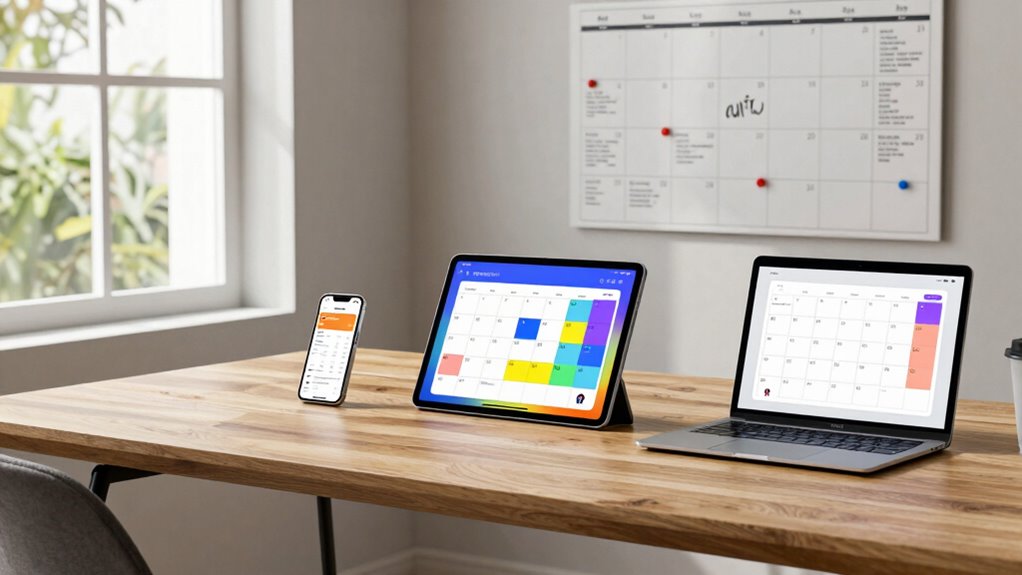
Effective collaboration hinges on a reliable shared calendar system that keeps everyone on the same page. When managing a busy household, having a digital tool that everyone can access and update is essential. To build a better shared calendar at home, start by choosing the right digital platform that offers seamless digital synchronization. This feature guarantees that updates made by one family member instantly appear on everyone’s devices, reducing confusion and missed appointments. Look for a calendar app compatible with various devices—smartphones, tablets, and computers—to maximize accessibility. The goal is to create a centralized hub where all family events are visible and manageable in real time.
Once you’ve selected a platform, focus on setting clear user permissions. Not everyone needs full editing rights, especially if certain family members only need to view upcoming events. By customizing user permissions, you control who can add, edit, or delete entries, which helps prevent accidental changes or deletions. For example, parents might have full control, while children can only view or suggest edits. This structured approach maintains the calendar’s integrity and minimizes disruptions. Make sure permissions are transparent to everyone, so family members understand their roles and responsibilities within the system. Additionally, understanding digital synchronization can help you troubleshoot issues if updates aren’t appearing promptly across devices.
Next, establish consistent routines for updating the calendar. Encourage family members to add their commitments as soon as they’re scheduled, whether it’s a school event, doctor’s appointment, or extracurricular activity. Regularly reviewing the calendar together helps catch conflicts early and ensures everyone is aware of upcoming plans. Integrate reminders and notifications to prompt timely updates or alerts about approaching deadlines, such as payment due dates or upcoming appointments. Setting these habits helps embed the shared calendar into your family’s daily routine, making it an effective communication tool. Incorporating user permissions thoughtfully ensures that all family members contribute appropriately without risking the calendar’s accuracy.
Finally, leverage features like color-coding to differentiate between types of events—school, work, sports, or personal time. Visual cues make it easier to scan and understand the schedule at a glance. Sync the calendar with other digital tools your family uses, like email or task managers, to create a cohesive system. This integration reduces the need to switch between apps and ensures all relevant information stays connected. To further enhance your system’s effectiveness, explore additional features offered by your chosen platform, such as recurring events or location-based reminders.
Finally, periodically review and adjust your system. As your family’s needs evolve, so should your shared calendar setup. Update permissions, add new features, or switch platforms if necessary. A well-maintained, synchronized system that everyone feels comfortable using will keep your household organized and reduce scheduling conflicts. By focusing on digital synchronization, user permissions, and consistent routines, you’ll create a shared calendar that truly streamlines your family’s busy life.
As an affiliate, we earn on qualifying purchases.
Frequently Asked Questions
How Secure Is My Shared Calendar Data?
Your shared calendar data’s security depends on the platform you choose. Many services use data encryption, which protects your information during transmission and storage. However, privacy concerns can arise if the platform collects or shares your data. To stay secure, select a service with strong encryption and clear privacy policies. Regularly review your sharing settings and update passwords to minimize risks and keep your calendar information safe.
Can I Integrate the Calendar With Other Apps?
Imagine it’s the 21st century, and yes, you can integrate your shared calendar with other apps. You just need to explore third-party integrations that connect your calendar with tools like messaging apps, task managers, or email. Additionally, you can set up custom notification systems to stay updated effortlessly. This seamless integration helps streamline your schedule, making coordination at home more efficient and less chaotic.
What if Someone Forgets to Update Their Schedule?
If someone forgets to update their schedule, you can set up family reminders and notification alerts to keep everyone on track. Encourage your family members to check the calendar regularly and remind each other about updates. You might also assign a responsible person to verify the calendar daily, ensuring all schedules stay current. These steps help prevent missed appointments and keep your shared calendar reliable and effective.
How Do I Handle Conflicting Appointments?
Imagine you’re in the middle of a conflict like a medieval knight facing a duel. To resolve conflicting appointments, use conflict resolution strategies like discussing priorities and adjusting times. Customize notifications to alert everyone about changes instantly. This way, you prevent confusion and guarantee everyone stays informed, much like a well-organized court. Clear communication and flexible scheduling turn chaos into harmony, keeping your shared calendar running smoothly.
Is There a Way to Track Completed Events?
Yes, you can track completed events by marking them as done or archiving them within your shared calendar. Use event reminders and schedule notifications to prompt you before upcoming events, helping you stay on top of your tasks. Many digital calendar apps automatically record completed events, which makes it easy to review your past activities and keep your schedule organized. This way, you maintain a clear overview of both upcoming and completed commitments.
digital calendar synchronization device
As an affiliate, we earn on qualifying purchases.
As an affiliate, we earn on qualifying purchases.
Conclusion
With a well-organized shared calendar, your family can work together like a symphony, each note perfectly in tune. It keeps everyone on the same page, reducing chaos and stress. Remember, the key is consistency and communication. When you make your calendar a central part of daily life, it becomes a reliable anchor amidst busy schedules. Embrace this tool, and watch your household run smoother than ever, like a beautifully choreographed dance.
family organizer app for smartphones
As an affiliate, we earn on qualifying purchases.
As an affiliate, we earn on qualifying purchases.
As an affiliate, we earn on qualifying purchases.
Halloween Picks
halloween
As an affiliate, we earn on qualifying purchases.